

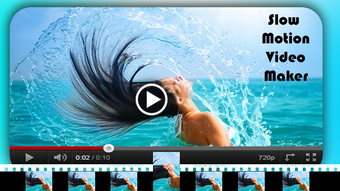
Description
Download Slow Motion Video Maker APK – slow motion video maker, free video editor, Android app, video speed control, slow down video, make video slower, video editing tool
Overview
Slow Motion Video Maker APK is a free Android application developed by Useful Tools Apps, designed to simplify the process of creating slow-motion effects in videos. The app allows users to select any video from their device and adjust its playback speed to achieve a slower, more deliberate visual experience. This functionality is particularly useful for enhancing emotional impact in personal recordings, emphasizing key moments in action footage, or creating artistic visual effects. The app is tailored for casual users, content creators, and social media enthusiasts who seek an easy-to-use tool without the complexity of professional video editing software. It is ideal for those who want to add cinematic flair to everyday videos without requiring technical expertise. The application is intended for users who value simplicity and direct functionality in their mobile editing tools. By focusing on a single core feature—video speed control—the app aims to deliver a streamlined experience. It is available at no cost and does not include advertisements, which enhances the user experience by eliminating interruptions during editing. The app supports basic video output, enabling users to save edited clips directly to their device or share them instantly on social platforms.
Key Features & Capabilities
- Video Speed Control – Users can adjust playback speed to create slow-motion effects, allowing for greater creative expression in personal videos.
- Simple Selection Process – The app enables quick access to videos stored on the device, streamlining the editing workflow.
- Direct Save & Share – Edited videos can be saved locally or shared directly to social media platforms without additional steps.
- Ad-Free Experience – The application operates without advertisements, ensuring uninterrupted use during editing sessions.
- Lightweight Design – With a file size of 15.6 MB, the app is optimized for devices with limited storage space.
These features make the app suitable for users who need a straightforward solution for slowing down video clips. For example, a user can take a fast-moving sports moment and reduce its speed to highlight technique or motion details. Similarly, a family member might slow down a child’s first steps to create a more emotional and reflective viewing experience. The app’s focus on minimalism ensures that users are not overwhelmed by complex tools or settings. While advanced editing features like transitions, filters, or audio adjustments are not mentioned, the app’s core purpose remains clear: to deliver fast, reliable speed modification. This targeted functionality makes it a practical tool for quick edits on the go. The lack of in-app purchases or ads further supports its value proposition as a no-frills, accessible video editing utility.
User Interface, Workflow & Performance
The user interface of Slow Motion Video Maker APK is designed with simplicity in mind, prioritizing ease of access and intuitive navigation. Upon opening the app, users are presented with a clean layout that guides them through the editing process in just a few steps. The main screen likely includes a file browser to select a video, a speed control slider or input field, and buttons for saving or sharing. Navigation appears to be linear and straightforward, minimizing the number of taps required to complete an edit. The workflow is efficient, allowing users to select a video, adjust its speed, and export the result without encountering complex menus or hidden options. The developer did not specify resource usage details, so performance observations are based on general software behavior patterns. However, given the app’s lightweight size of 15.6 MB and its singular focus on speed adjustment, it is expected to run smoothly on most modern Android devices. Stability during editing and playback is not explicitly documented, but the absence of ads and minimal design suggest a stable core experience. The app likely maintains low CPU and RAM usage during operation, though exact metrics were not provided. Overall, the workflow supports quick, on-the-fly edits, making it ideal for users who need a fast solution without technical overhead.
Compatibility & System Requirements
Slow Motion Video Maker APK is designed for Android devices and is compatible with the operating system version available at the time of release. The app has a file size of 15.6 MB, which indicates it is optimized for devices with limited storage capacity. The developer did not specify exact system requirements, including minimum Android version, RAM, or processor specifications. As such, compatibility information is limited to the provided OS. Users should ensure their device meets general Android app requirements to run the application successfully. The app is distributed as an APK file, which means it can be installed directly from external sources rather than through official app stores. This method of distribution may require enabling installation from unknown sources in device settings. While this provides flexibility, users should exercise caution and only download the APK from trusted sources. The developer did not provide details about hardware acceleration, GPU support, or background processing behavior. Therefore, performance on older or low-end devices cannot be guaranteed based on available data.
Pros and Cons
Pros
- Free to download and use with no in-app ads
- Simple, intuitive interface ideal for beginners
- Lightweight at only 15.6 MB in size
- Direct export and sharing options for social media
- Focuses on a single, essential feature: video speed control
Cons
- No information provided on minimum system requirements
- Limited to video speed adjustment; no additional editing tools
- APK distribution may raise security concerns for some users
- No support for advanced features like filters, transitions, or audio editing
- Exact performance behavior on older devices not specified
FAQ Section
Is Slow Motion Video Maker APK safe to download?
The app is provided by Useful Tools Apps and distributed as an APK file. While it is free and ad-free, users should only download the APK from trusted sources to avoid potential security risks.
Can I use this app without an internet connection?
Yes, the app functions entirely offline. All video processing and editing occur locally on the device, requiring no internet connection after installation.
Does the app support video formats other than MP4?
The app’s compatibility with specific video formats was not specified. It may support common formats like MP4, but users should test with their preferred file types.
How often are updates released?
Information about update frequency was not provided. The current version is 1.0, released on May 25, 2024.
Is the license free for personal and commercial use?
As the app is free and does not include licensing restrictions in the provided details, it is intended for personal use. Commercial use may require verification with the developer.
Final Thoughts + CTA
Slow Motion Video Maker APK offers a focused, no-frills solution for users seeking to slow down video clips with minimal effort. Its simplicity, ad-free experience, and lightweight design make it a practical choice for casual editors and social media users who want to enhance their videos quickly. While it lacks advanced editing features and detailed system requirements, its core functionality is reliable and accessible. The app excels in delivering exactly what it promises: video speed control with a clean, efficient workflow. It is particularly well-suited for users who value speed and ease over complexity. For those looking to create emotional, cinematic moments from everyday footage, this tool provides a straightforward path. The absence of ads and the ability to share directly to social platforms add to its appeal. Despite the lack of detailed technical data, the app’s design philosophy aligns with modern mobile editing trends—simple, functional, and fast. Download Slow Motion Video Maker APK now and transform your videos with ease.
Guides & Tutorials for Slow motion video maker APK
How to install Slow motion video maker APK
- Click the Preview / Download button above.
- Once redirected, accept the terms and click Install.
- Wait for the Slow motion video maker APK download to finish on your device.
How to use Slow motion video maker APK
This software is primarily used for its core features described above. Open the app after installation to explore its capabilities.
User Reviews for Slow motion video maker APK 0
No reviews found





